Lessons 2 · Using your camera
Metering and exposure compensation
Your camera's meter measures how much light comes back from the scene and picks an exposure that makes it look medium bright. That is a sensible guess for most scenes, which contain a mix of light and dark things that average out to a middle grey.
The meter has no idea what it is looking at, though. Point it at a snowfield and it sees "very bright", so it darkens the photo until the snow is grey. Point it at a black cat on a black sofa and it brightens the photo until the cat is grey. Both photos are "correctly" exposed by the meter's rule and both look wrong.
Knowing when the meter will be fooled, and by how much, is the difference between hoping and knowing.
Three ways to measure
Cameras can weigh different parts of the frame when they measure:
- Matrix (also called evaluative or multi-zone) splits the frame into many zones and compares them with patterns the camera knows. It handles most scenes well and is the right default. It often gives extra weight to the focus point or a detected face.
- Centre-weighted averages the whole frame but counts the middle most. It is predictable, which some people prefer.
- Spot measures only a small circle, usually a few percent of the frame, at the centre or the focus point. Use it when you know exactly which tone should be middle grey, like a face on a stage.
Scenes that fool the meter
| Scene | What the meter does | Fix |
|---|---|---|
| Snow, white sand, a bright beach | Makes it grey | +1 to +2 stops |
| Person against a bright window or sky | Face too dark | +1 to +2, or spot meter the face |
| Sunset, when you want the colours | Brightens the shadows, washes out the sky | -1 to -2 |
| Stage or spotlight on a dark background | Brightens the dark, burns out the performer | -1 to -2, or spot meter |
| Black subject filling the frame | Makes it grey | -1 to -1.5 |
The meter's calibration constant, K = 12.5, is what defines "middle grey" for a reflected-light meter. The simulator's meter uses the same value.
Exposure compensation
Exposure compensation tells the camera "make it brighter or darker than you think". It works in P, A and S, and in M with Auto ISO. +1 means one stop brighter, -1 one stop darker. The camera reaches the new target by changing whatever it controls in that mode: the shutter in A, the aperture in S, the ISO in M with Auto ISO.
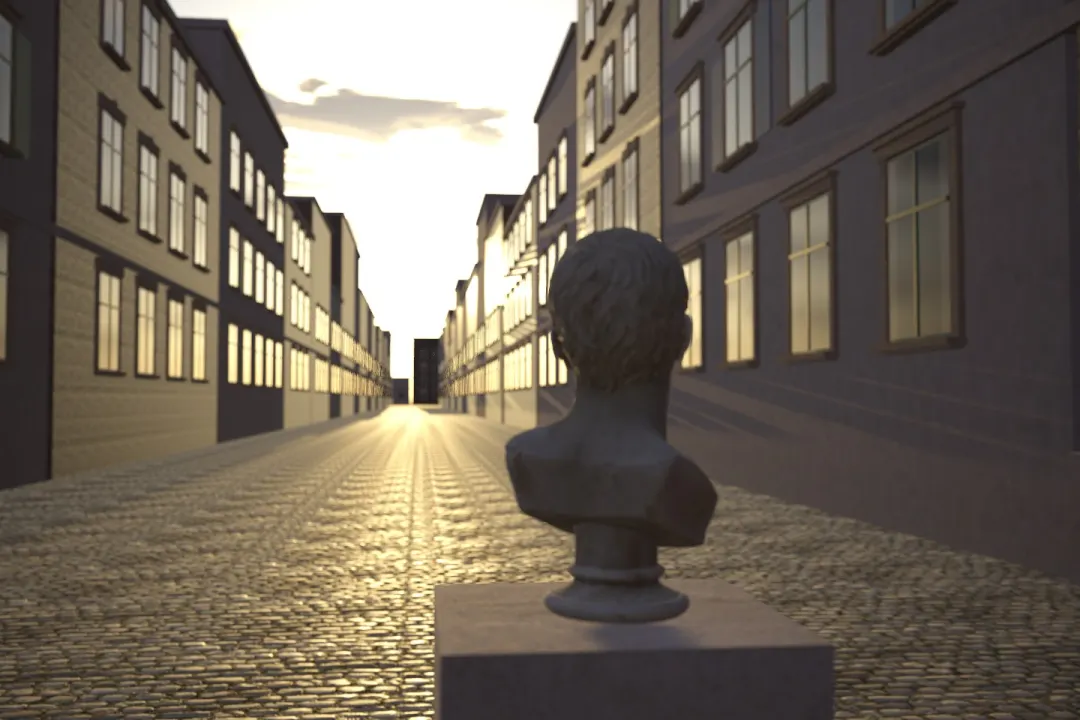
Try this: The sun is behind the bust. Try matrix, centre and spot metering and see how the brightness jumps. Then stay in matrix and use exposure compensation to make the bust or the sky look right.
Exposure lock
AE lock (often a button marked AEL or an asterisk) freezes the exposure while you recompose. Spot meter a face, lock it, then frame the shot with the bright sky behind. Many photographers set a custom button to do this.
With a mirrorless camera you often need none of this. With exposure preview on, the viewfinder shows the brightness the photo will have. If the face looks dark in the viewfinder, it will be dark in the photo: dial in compensation until it looks right, before you press the shutter.