Lessons 1 · How a camera works
Aperture and depth of field
The aperture is the adjustable opening inside the lens, made of overlapping blades. Its size is written as an f-number: the focal length divided by the diameter of the opening. A 50 mm lens at f/2 has a 25 mm opening; at f/8 it is about 6 mm.
That is why a smaller f-number means a bigger hole. It catches beginners out, so it is worth saying twice: f/1.8 is wide open, f/16 is a pinhole.
Aperture does three things
- Light. Each full stop (f/2.8 → f/4 → f/5.6) halves the area of the opening, so half as much light gets through.
- Depth of field. A wide opening keeps only a thin slice of the scene sharp and blurs everything in front of and behind it. A narrow opening keeps much more sharp.
- Diffraction. Very small openings spread light out and soften fine detail everywhere in the picture. On the simulated full-frame sensor this starts to show around f/16.

Try this: Take a photo at f/1.8, then drag the aperture to f/11 and take another. Watch the shutter speed: the camera slows it down to keep the brightness the same.

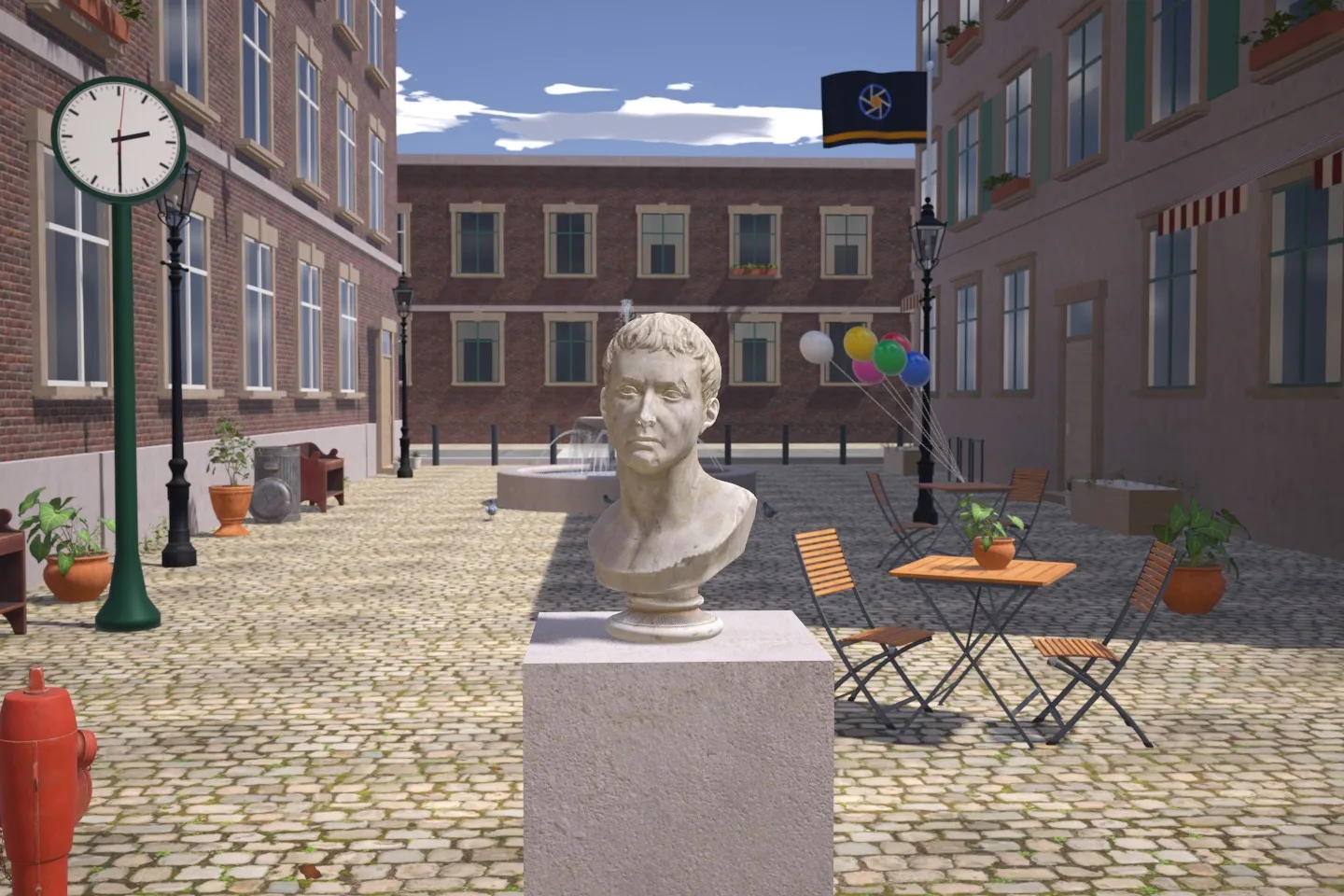
35 mm lens, focused on the bust about 2 m away. In aperture priority the camera slowed the shutter to pay for the smaller opening.
Depth of field in numbers
Depth of field is the range of distances that look sharp. Here it is for a 50 mm lens on full frame, focused on a person 3 m away:
| Aperture | Opening | Sharp from | to | Depth | Distant background |
|---|---|---|---|---|---|
| f/1.8 | 27.8 mm | 2.83 m | 3.20 m | 0.37 m | blurry |
| f/2.8 | 17.9 mm | 2.74 m | 3.31 m | 0.58 m | blurry |
| f/4 | 12.5 mm | 2.64 m | 3.47 m | 0.83 m | soft |
| f/5.6 | 8.9 mm | 2.52 m | 3.70 m | 1.18 m | soft |
| f/8 | 6.3 mm | 2.36 m | 4.12 m | 1.76 m | soft |
| f/11 | 4.5 mm | 2.18 m | 4.79 m | 2.60 m | slightly soft |
| f/16 * | 3.1 mm | 1.94 m | 6.56 m | 4.62 m | slightly soft |
| f/22 * | 2.3 mm | 1.72 m | 11.83 m | 10.11 m | slightly soft |
"Sharp" means a blur smaller than 29 µm on the sensor, the usual limit for a full-frame print viewed at normal distance. * Diffraction starts to soften detail on this 6.0 µm-pixel sensor (the blur spot at f/22 is 30 µm wide).
Three things to notice. The depth roughly doubles every two stops. There is always more sharpness behind the focus point than in front of it. And at f/16 and f/22 the sharp zone stretches over many metres, but the whole picture turns slightly soft.
See the sharp zone grow
Focus peaking outlines the parts of the picture that are in focus. Close the aperture and watch the outlines spread forward and back from the focus point.

Try this: Turn on focus peaking. The coloured outlines show what is sharp. Close the aperture step by step and watch the sharp zone grow in front of and behind the focus point.
Which aperture to use
| You want | Try | Why |
|---|---|---|
| One person, soft background | f/1.8 to f/2.8 | Thin depth of field separates the subject. |
| Two or three people | f/4 to f/5.6 | Enough depth for everyone's face. |
| Street, travel, everyday | f/5.6 to f/8 | Most lenses are at their sharpest here. |
| Landscape, front to back sharp | f/8 to f/11 | Deep focus before diffraction sets in. |
| Low light | The widest you have | Every stop of aperture is a stop less ISO. |